A useful educational video can help a class see an idea from another angle. Finding it during a lesson can also mean opening a new tab, searching, checking the result and navigating a page full of other things to watch. The teacher’s attention moves away from the explanation just when the class needs it.
RISE Learn brings selected, topic-related videos into the lesson player. Read-aloud controls offer another way to work with the slide and its accompanying reading. These tools are there for an educator to call on when useful, with the lesson remaining the centre of attention.
Curate for the topic, then keep the video beside it
The lesson’s video resources include clips from a range of educational creators. A clip is connected to the relevant chapter or lesson session, with its title and source identified. The aim is a useful explanation for that topic, rather than an open-ended search through everything a platform offers.
Selecting a clip opens the built-in player over the lesson. The teacher can show it, pause to discuss it and return to the slides without opening a separate YouTube tab. Presentation controls make the available videos reachable while the lesson is on the classroom screen.
Curated does not mean a teacher should skip preparation. Review the explanation, language and suitability for your learners before class, just as you would with a book extract or any other teaching resource.
Reduce routes away from the lesson
YouTube contains valuable educational material alongside recommendations and links that can distract from a planned lesson. RISE Learn’s embedded player is designed to keep a viewing moment within the teaching context.
The video frame restricts opening new tabs and navigating the learning app away through its links. As the clip approaches its end, the player normally stops it and replaces it with RISE’s finished view, rather than leaving a recommendation grid on the classroom screen. Replay and returning to the lesson remain deliberate choices.
These are specific controls around an embedded video, rather than a guarantee about everything YouTube can display. A creator can include promotions or end cards inside the footage itself. Network conditions, browser policy and the external video service can also affect playback. Selecting appropriate videos and, where needed, a focused excerpt still matters.
Listen to the slide or the accompanying reading
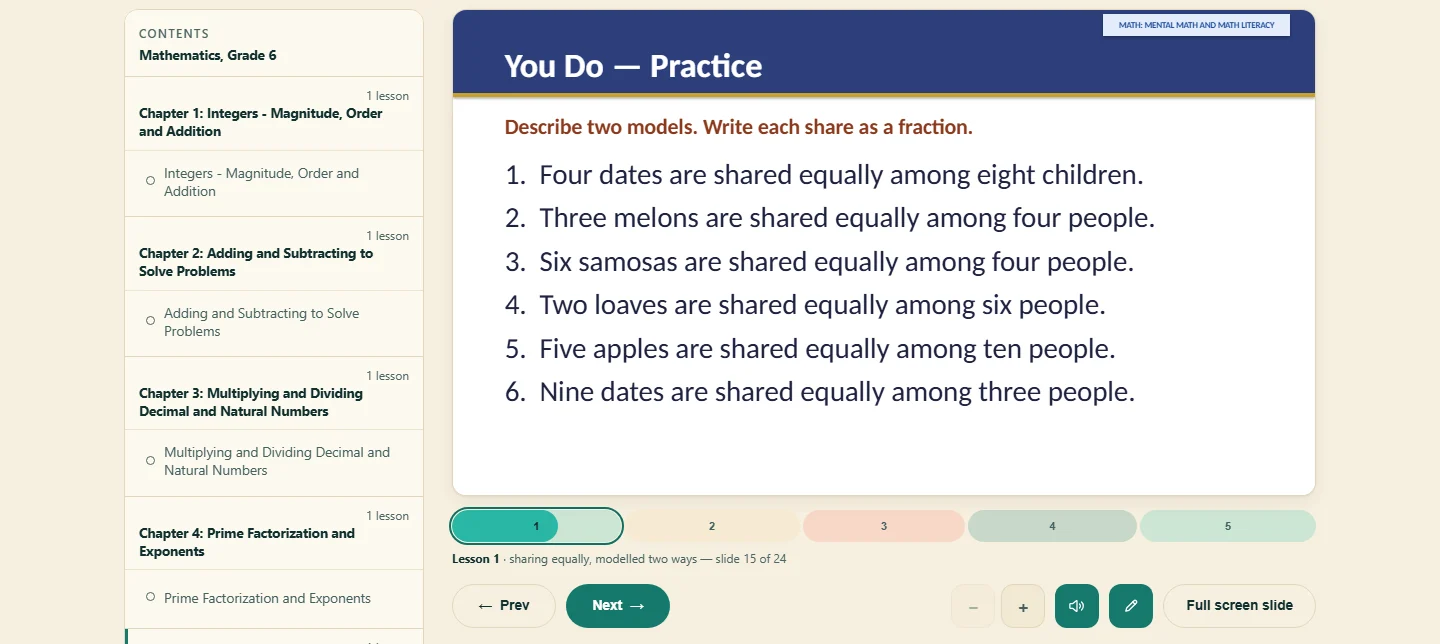
RISE Learn provides read-aloud controls for slide text and the available reading sections. A learner can follow the words while listening, return to an unfamiliar passage or hear an explanation before discussing it.
The slide’s voice control sits with its lesson controls and is available during presentation. Reading sections have their own controls. The app uses an available rendered recording or falls back to the device’s browser voice; the voice and playback experience can vary with the browser and device.
Listening is an option, not a demand to play narration over every slide. A teacher may prefer to explain the content directly, ask a pupil to read, or use a short spoken passage and then pause for questions. The useful choice depends on the learners and the activity.
Offer different ways into the same idea
A lesson may benefit from a spoken explanation, a relevant video or an opportunity to explore a changing relationship. Our article on virtual demonstrations explains that last approach through science and mathematics examples.
These are resources to choose among. A teacher might introduce an idea using the slide, show part of a video to make it concrete, then ask learners to explain the relationship in their own words. At home, a parent can use the same resources in a shorter conversation with one child.
The point is purposeful variety. Clicking every tool does not establish understanding; the learner’s explanation, practice and questions give the educator something to work with.
The educator remains the presenter
A recorded presenter or a software voice cannot know this class as its educator does. The teacher can notice confusion, change an example, invite a question and decide when to move on. Those judgements belong at the heart of the lesson.
That is why RISE Learn keeps supporting tools in its controls and surrounding resources, opening them when requested. They do not need to occupy the screen throughout an explanation. An educator who is ready to present directly can leave them aside and teach from the slides.
For a class, the most important presenter is its educator. Our resources are designed to support that person’s preparation and teaching, giving them useful options while leaving them room to lead. Explore the course outlines and classroom presentation features to see how those options fit together.